01
Smart TVs
Prefer watching on a big screen? PrabullTV can be configured with supported IPTV applications on compatible Samsung, LG and Android-based Smart TVs.
Enjoy greater flexibility when exploring IPTV streaming with PrabullTV. Discover setup options for compatible Samsung and LG Smart TVs, Amazon Fire TV devices, Android TV, iPhone, iPad, Windows PCs and Mac computers. Whether you're in the UK or USA, find practical guidance to help you get started on your preferred screen.
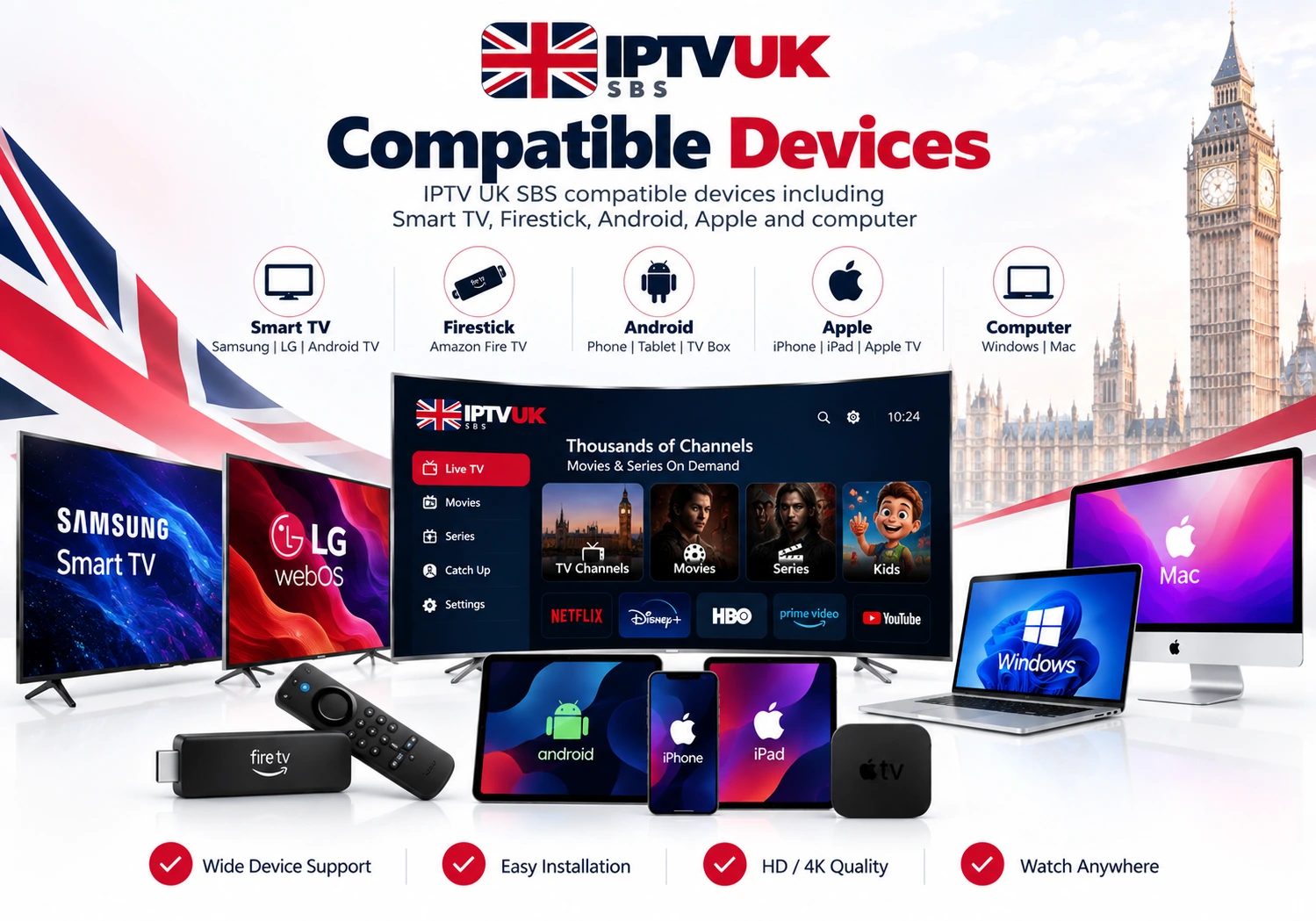
From your living room TV to the laptop on your desk, explore how PrabullTV works with compatible streaming devices, apps and screens. Choose the setup that fits your everyday viewing habits.
Prefer watching on a big screen? PrabullTV can be configured with supported IPTV applications on compatible Samsung, LG and Android-based Smart TVs.
Use a compatible Amazon Fire TV Stick or streaming player to access PrabullTV through a supported IPTV application on your television.
A compatible smartphone or tablet gives you another way to access your PrabullTV subscription. Check app availability and internet access before getting started.
Android TV boxes, Google TV devices and Android phones offer several ways to set up PrabullTV with a compatible IPTV player.
Using an iPhone, iPad or Apple TV? Explore IPTV applications available for your device and check compatibility with PrabullTV before installation.
Watching from your desk? PrabullTV can be accessed through compatible IPTV software on supported Windows and macOS computers.
Wondering whether your television, streaming stick or computer is suitable? Here's a practical guide to common devices used with PrabullTV. The right IPTV app and installation method will depend on your operating system and model.
| Device | Operating System | Compatibility | Setup Method |
|---|---|---|---|
|
Samsung Smart TV
|
Tizen OS | App Dependent | Install a compatible IPTV player available for your TV model. |
|
LG Smart TV
|
webOS | App Dependent | Use a compatible IPTV application from the TV app store. |
|
Android TV & Google TV
|
Android TV / Google TV | App Dependent | Install a supported IPTV app and enter your access details. |
|
Amazon Fire TV Stick
|
Fire OS | App Dependent | Choose a compatible IPTV application for your Fire TV. |
|
Apple TV
|
tvOS | App Dependent | Use a compatible IPTV player available through the App Store. |
|
Android Phones & Tablets
|
Android | App Dependent | Download a compatible mobile IPTV app and configure your account. |
|
iPhone & iPad
|
iOS / iPadOS | App Dependent | Install a suitable IPTV player from the Apple App Store. |
|
Windows PC & Laptop
|
Windows | App Dependent | Configure compatible IPTV software on your computer. |
|
Apple Mac & MacBook
|
macOS | App Dependent | Install a compatible macOS IPTV player and add your details. |
Everyone has a favourite way to watch. Some prefer a big television, while others use a phone, tablet or laptop. Explore the device options available for setting up PrabullTV.
Prefer watching from the sofa? With a compatible IPTV player, PrabullTV can be configured on supported Smart TVs. Check your television's operating system and app availability before choosing a player.
Don't have a compatible Smart TV application? A streaming stick or TV box may offer another way to use PrabullTV. These devices connect to your television and run supported IPTV applications.
Your television isn't the only screen you can use. PrabullTV can also be configured through compatible IPTV apps on smartphones and tablets, provided your device and application are supported.
If you spend more time at your computer, a compatible desktop IPTV player can be a practical option. Explore PrabullTV setup methods for supported Windows and macOS systems.
Turn your living room into a more flexible entertainment space with PrabullTV. Explore IPTV setup options for compatible Samsung Smart TVs, LG webOS televisions, Android TV and Google TV devices. Choose a suitable IPTV player, follow the installation steps and discover how to enjoy streaming on your favourite big screen.
Explore compatible IPTV players for Samsung Tizen televisions.
Discover IPTV application options for compatible LG webOS TVs.
Learn how IPTV applications work on Android-based Smart TVs.
Find setup guidance for compatible Google TV devices.
Looking for information about PrabullTV subscriptions, compatible devices or streaming setup? Explore clear answers to the questions customers commonly ask before getting started.
PrabullTV is an IPTV subscription service designed to deliver television and video content through an internet connection. After receiving your access details, you can configure a compatible streaming application and explore the available content.
PrabullTV can be configured with compatible Smart TVs, Amazon Fire TV devices, Android TV, Android smartphones, iPhone, iPad, Windows PCs and Mac computers. Compatibility depends on the device model, operating system and IPTV application.
HD, Full HD and 4K streaming may be available for supported content. Picture quality depends on the content source, your internet connection, the streaming application and your device. Not every programme is available in 4K.
PrabullTV offers several subscription durations. The listed plans include 3 months for £24.99, 6 months for £34.99, 12 months for £49.99 and 24 months for £79.99. Check the pricing section for the latest available offers.
Choose your preferred subscription, receive your access details after order confirmation, and install a compatible IPTV player on your device. Enter the supplied information into the application to complete the setup. PrabullTV support can assist with common configuration questions.
PrabullTV is presented for viewers across England, Scotland, Wales and Northern Ireland. Streaming availability may depend on your internet connection, content availability and applicable regional restrictions.
A stable broadband connection is recommended for IPTV streaming. Higher-resolution content generally requires more bandwidth than standard definition video. For the best experience, use a reliable Wi-Fi or wired connection and ensure your device supports the selected video quality.